Blog

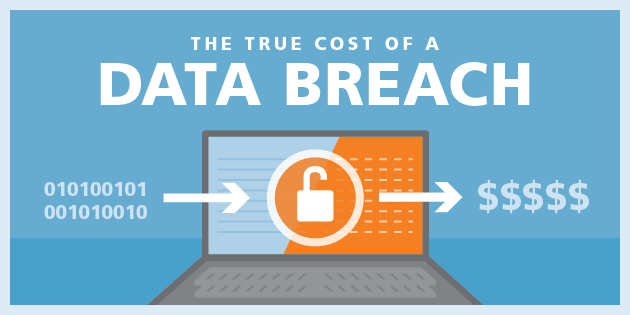
Cyber-Security: The Costs of Data Breaches

While it has always been at the forefront of security experts minds, cyber-security has once again been thrust into the limelight with several large data breaches affecting various industries.

Sony, Target, Home Depot and JP Morgan Chase are just some of the high profile companies that experienced data breaches in 2014 & 2015. Unfortunately, there are many others. Until now, however, it was difficult to assess just how costly these breaches can be and what data points are utilized to arrive at cost determination.

We now have a tool that can help answer both questions: The 2015 Cost of Data Breach Study conducted by the Poneman Institute and sponsored by IBM. This study was conducted with the input of 250 companies spanning 11 countries, and analyzed the causes and industries affected by data breaches.

What are the true costs associated with data breaches?

For a quick overview, please see the presentation below, which was given at the Hernando County Chamber of Commerce’s annual Keys to Success business forum on March 22nd. There are also links at the bottom of the page to the Poneman Institute PDF files for more extensive analysis.

Alignment of IT and Business Strategies

Role of Information Technology

Managers can better understand the role of Information Technology by drawing their attention to it’s capabilities and the importance of aligning those with corporate strategies. Information should be provided on the values of  IT and how it affects the overall growth of the company. In order to accomplish this, IT departments need to become familiar with the business’ strategies and plans, recognize conflicts between these strategies and operating objectives, and then identify any conflicts in operating objectives and plans (Robbins Gioia, 2013). Creating a clear strategic plan with actionable results that can be supported by the Enterprise Architecture (EA) can help explain the role of IT to corporate managers. This alignment of IT with business strategies is not necessarily an easy task. While the Internet world moves very fast, many businesses utilize older systems that are the backbone of their operations.

For example, let’s take a look at system utilized in a Healthcare facility that I am very familiar with. In the beginning, the organization started using an electronic health record way before it was popular and mandated. It was built on an operating system that was ahead of its time twenty years ago, but is now obviously lacking in key areas. The program has very limited capabilities from a clinical aspect and is extremely limited in its integration capabilities. It was built on an old UNIX platform and uses a text based terminal emulation program that looks similar to DOS. While this older system has its benefits, it is not in line with the graphical interfaces of today and is foreign and cumbersome to younger employees. Older employees who are used to the interface are able to quickly move through the screens via keyboard and are thus more efficient because they do not need to move their hand away to operate the mouse or search the screen for buttons to click.

A major drawback, however, is that it only keeps data for forty-five days. Hence, it cannot be considered a data repository. In order to address this limitation, many “glue-ware” applications have been applied to enhance its capabilities. While these get the job done, they increase inefficiency. For example, in order to transfer live data from the system, the entire chart has to be printed and then scanned into a separate system. This is obviously a gross misuse of paper and time. In order to grow as a business and remain competitive, we need to keep an open mind and always keep an eye on emerging technologies and how our competitors are using them. Just because we have an IT system that was ahead of its time twenty years ago, it does not mean that we can afford to rest on our laurels. This experience made me realize that doing the same thing over and over is not enough in order for a business to improve. Change is not easy, but this is how we learn and incorporate new strategies. Managers become complacent and find it easier to go with the status quo, which most of the time keeps companies behind and restricts the creativity of the organization. Including IT into the business’ strategic plan is not just important; the very survival of the organization could depend on it (High, 2011).

Techniques to Achieve Alignment

Business and IT alignment is not easy to achieve due to the dynamic nature of business. According to Hajela (n.d.), business and IT alignment is an eight step process defined as:

  1. Identifying the business needs that are driving IT.
  2. Creating an IT vision.
  3. Assessing the current alignment.
  4. Identifying alignment gaps.
  5. Prioritizing initiatives.
  6. Evaluating implementation options.
  7. Creating a migration plan.
  8. Adjusting the current IT strategy.

It is important to be aware of the link between dynamic business needs while working on an IT solution. This will ensure that the solution is in line with the current business need.
Currently, it seems as though those who hold the purse strings are somewhat isolated when it comes to current and future IT implementation. They are looking at the return on investment of the current system and the large costs involved in revamping or implementing a new solution. While I can understand this approach (they are beholden to the Board of Directors and shareholders), I feel that it is shortsighted when it comes to the day to day interactions of the IT systems.

Identifying the business needs that drive IT is the first step in realizing current shortcomings. From IT’s perspective, they have to manage an antiquated system and additional support systems used as “add-ons”. This places an unnecessary burden on hardware, software and staff resources. Additionally, backup strategies have to be defined and implemented across disparate systems instead of a consolidated, heterogeneous system. There are also separate storage and network strategies that have to be considered

Once the business needs have been identified, creating a forward thinking IT vision would help point out these issues and potential revenue saving strategies. It also would provide the various stakeholders a chance to define their individual needs in respect to the system as a whole. This new vision could take into account currently available technologies (tablets, smartphones, etc.) as well as up and coming ones (virtual reality, tele-medicine, voice recognition, etc.).

The crucial step in this process would be to evaluate the current IT alignment and define any gaps. IT should be able to provide compelling metrics that point out the inefficiencies in maintaining disparate systems. These include, but are not limited to:

  1. Financial obligations to various vendors.
  2. Costs associated with training in various software packages.
  3. Costs associated with different hardware platforms.
  4. Time required maintaining and deploying multiple software solutions.

Oftentimes, corporate leaders are not aware of the capabilities of IT, and new solutions proposed fall on deaf ears. Identifying any existing alignment gaps provides an opportunity for IT to point out these inefficiencies and propose new technological or procedural solutions.
Once a new IT vision has been settled on, it is imperative to prioritize the new initiatives. What may seem like a priority to management may be a monumental undertaking for IT. Prioritization can help determine which initiatives must be implemented no matter the cost and those that can be implemented rather quickly and provide an increased value. This process also enables IT to focus on core initiatives instead of being spread out among many tasks of varying importance.

Once the new initiatives have been prioritized, the process of evaluating implementation options can proceed. Obviously, cost will be a major consideration, but there are other equally important implementation options that need to be considered, such as:

  1. In-house development or outsourcing.
  2. Re-vamping versus an overhaul.
  3. Strategic partnerships with vendors.
  4. Time required to complete implementation.

Any migration strategies will depend on these considerations already being settled.

After the implementation strategies have been defined, a comprehensive migration plan or plans will need to be laid out in detail. This will include cost projections, project milestones, integration strategies and eventual deprecation of replaced systems. The migration plan will be the key to the success of the new IT vision. It does not matter if the project comes in on budget and the new solutions work, if the migration is not as smooth as possible; it has the ability to effect real time productivity and more importantly, perception and acceptance of the new solutions.

While it is possible that the role out of the new IT vision will occur without mishap, it is inevitable that strategy adjustments will be necessary. This is true both during and after the implementation as fluctuations in technology and additional functionality are bound to occur. It is likely that as new solutions are implemented, new possibilities will be identified. Also, limitations in certain solutions may require additional resources. Hence, it is important to build this step into the initial planning.

Risks

If an organization does not realize the importance of investing in IT alignment resources, it risks business stagnation and alienation of the IT department. By not having a cohesive relationship with IT, a business opens itself up to system fragmentation, which leads to instability and inefficiency. Additionally, it opens the door for competitors to market newer solutions, which will make them seem more proactive and willing to embrace new technologies. This will ultimately trickle down to the consumer’s decision making process, whether the consumer is a customer or an employee. The business’ brand recognition could suffer as well.

Conclusion

The alignment of IT with corporate business strategies will ultimately come down to proving the net value of proactive IT involvement. While to some this may seem to be an obvious value proposition, to many it is an afterthought. IT is generally treated as another cost center instead of a valuable partner that can help shape the future of the business as well as realize long term return on investment. In today’s world, IT and the technologies it manages is a vital commodity that not only can improve a business’ internal functionality, but can direct it’s future growth and market branding.


References
Hajela, S. (n.d.). 7 Steps to business and IT alignment. Retrieved from http://www.cioindex..com/cio-toolkit/it-strategy/article/articleid/18/7-steps-to-business-and- it-alignment
High, P. (2011). Proceed with caution: The new normal: Now what? CIO Insight,115, 30–33. Retrieved from the Walden Library databases.
Munro, M., & Khan, S. (2013). WestJet Airlines: Information technology governance and corporate strategy (Ivey Publishing Case Study No. 9B13E020)
Retrieved from https://cb.hbsp.harvard.edu/cb/pl/23289610/23289643/19566bfefe8dac6854ac46a8371e299e
Robbins Gioia (2013). Aligning IT to the strategic plan. Retrieved from https://www.robbinsgioia.com/downloads/perspectives/aligning-it-strategic.pdf

Four reasons to move to a Managed Services Provider

1. LOW CAPITAL OUTLAY AND PREDICTABLE MONTHLY COSTS

A managed service provider can be your best friend and biggest asset when trying to lower costs and get the best bang for your IT buck. Several studies produced by impartial associations have provided studies about the cost savings that clients achieve by finding the right Managed Service provider. Indipendent studies have shown that 65% of the Small to medium sized business (especially healthcare) have saved money by using this type of Managed IT solution.

BENEFITS INCLUDE
• Proactive support at a fixed monthly cost
• Emergency on site and remote support
• Live phone support 24x7x365
• Remote resolution of issues more than 90% of the time
• Dedicated account managers
• Complete monitoring of mission critical applications
• Around the clock threat monitoring and protection
• No disruption to day-to-day business

By using prodigy as your Managed Service Provider, you will uptain all of these benefits for one fixed monthly cost.

Imagine the savings on employee cost by having someone who you can call and get immediately to perform remote IT support and get your staff back into action Immediately.

2. EXPERTISE

When you select Prodigy Information Technology, you are choosing a company that has none years of experience in the Managed Service Provider business. Our staff has experience with legal firms, Radiology Imaging center and medical offices, and we excel in those arenas. Prodigy had written and integrated EMR for Doctors, DICOM imaging solutions for Radiology imaging services, and Remote IT support for many other business in the general business categories. By selecting managed services you gain access to staff with specialist skills. Sometimes you will only need this skill once, so save the expense of training your staff for skills they will never use.

3. CENTRALIZATION

When Prodigy IT takes on a managed network you can benefit from the ability to centralize all your applications and servers within managed data centers, this leads to improved performance of staff, regardless of location. Access to centralized data centers within the network can also provide access to virtual services, as well as storage and backup infrastructure.

4. INCREASED SERVICE LEVELS

A Managed IT Service provides greater control of service levels and performance. With service level agreements in place you can be sure of continuity of service. A managed service company will also offer 24x7x365 support.

What is a Managed Services Provider?

[one_third last=”no” spacing=”yes” background_color=”” background_image=”” background_repeat=”no-repeat” background_position=”left top” border_size=”0px” border_color=”” border_style=”” padding=”” class=”” id=””][imageframe lightbox=”no” style_type=”dropshadow” bordercolor=”#333333″ bordersize=”1px” borderradius=”0″ stylecolor=”#333333″ align=”none” link=”” linktarget=”_self” animation_type=”0″ animation_direction=”down” animation_speed=”0.1″ class=”” id=””] [/imageframe][/one_third][two_third last=”yes” spacing=”yes” background_color=”” background_image=”” background_repeat=”no-repeat” background_position=”left top” border_size=”0px” border_color=”” border_style=”” padding=”” class=”” id=””]

It’s an IT (information technology) provider which is responsible for the continuous monitoring, management and maintenance of your computer and phone networks, software, hardware and all related information technology needs. This is accomplished through a contractual relationship with the MSP for a fixed monthly price. Your service needs will be detailed in a Service Level Agreement (SLA), which can include provisions for performance, security, efficiency, accountability, response time and upgrades.

Your relationship with your Managed Service Provider makes your organization’s life easier and less stressful by providing a well-planned and automated strategy for network efficiency as well as predictable IT costs.  The MSP also provides an added level of security in the world of increased virus and malware threats by continuously keeping current on industry “best practices” regarding network security and efficiency.

Prodigy IT offers specialized software to the medical industry, another benefit of having us as your own Managed Service Provider.

[/two_third]

Our Passion is Medical IT support

[one_third last=”no” spacing=”yes” background_color=”” background_image=”” background_repeat=”no-repeat” background_position=”left top” border_size=”0px” border_color=”” border_style=”” padding=”” class=”” id=””][imageframe lightbox=”no” style_type=”dropshadow” bordercolor=”” bordersize=”0px” borderradius=”0″ stylecolor=”” align=”none” link=”” linktarget=”_self” animation_type=”0″ animation_direction=”down” animation_speed=”0.1″ class=”” id=””] [/imageframe][/one_third][two_third last=”yes” spacing=”yes” background_color=”” background_image=”” background_repeat=”no-repeat” background_position=”left top” border_size=”0px” border_color=”” border_style=”” padding=”” class=”” id=””]

Lets face it.  Every type of business is different, but in the case of the Medical industry, government regulation, insurance company requirements, and the very nature of the Medical (office) creates a higher standard for all of the medical industries support organizations.  Prodigy was started with the medical industries needs in mind. Medical practices must be able to maintain a stable,secure and redundant  network environment,  while growing to meet the needs of an ever-evolving industry. Because of our vast industry experience and expertise, Prodigy Information Technology will assist you with all your IT needs within your medical practice, from soup to nuts, we have the recipe for your IT success.

Solutions Overview

  • Complete support and solutions for your practice
  • 24/7/365 remote monitoring and repair
  • Software managment and upgrades
  • EHR selection, implementation and EHR support services
  • Virus, spyware and security protection for all computers and servers
  • On-site, remote and phone / help-desk support 24/7/365
  • Discount hardware and software

Medical Device Experience

  • PAC Systems
  • Ultrasounds, echos and nuclear imaging
  • Radiation oncology equipment
  • Pinnacle and Linac systems
  • Dolbey Fusion
  • And many others.


We are your very own IT Department for your medical practice. Depend on Prodigy IT to handle any technical challenge to  answer any question, and to consult with you on future medical IT needs — from interfacing with medical equipment, to spy-ware protection, to HIPAA compliancy.  We are also EHR experts, having written our own EHR software in the early 2000’s, and can provide guidance for you in the vendor selection process.  We will help you assess each office relative to the needs of your office, your staff, and your patients. Prodigy can be your main point of contact for all your IT, HER, radiology imaging support.

[/two_third][imageframe lightbox=”no” style_type=”none” bordercolor=”” bordersize=”0px” borderradius=”0″ stylecolor=”” align=”none” link=”” linktarget=”_self” animation_type=”0″ animation_direction=”” animation_speed=”0.1″ class=”” id=””] [/imageframe]

Go to Top